E-token Time For Indian Visa

Most of the people know that, To get Indian Visa E-token is too much difficult. If you able to try just perfect time, may be you will get an e token for Indian visa. We try to serve you the perfect time for E-token in this site Every day.

New system For Indian E token July 11 2015

Surely everyone is doing well. I am with you again. This is my "New System for Indian E-token- 2015". Indian authorities did not consider that Bangladeshi, people are mankind. Last Friday afternoon once again they change their websites system and in front of us brought a new critical situation. Active all tricks have to change for this situation. Come and see the new system

Make Your Pc Faster In An Easy Way-part-3

Slim Cleaner is a free software for cleaning and optimizing PC and Mobile Device. It's a Golden Verified Partner of Microsoft Corporation. Specially Designed for WinXp, Vista, Win7, Win 8 and Win 10.

Remove shortcut virus in 30 second

Here we will show how you can easily get rid of this problem and remove "Shortcut Virus" from your PC.

Required Documents for Indian Visa Purpose

In fact, most of people do not know what to do when submit an e-token to IVAC/Visa Processing Center/Indian Embassy and which documents they have to collected and sorted. In the mean time, many local broker or fraud lead them to earn some big amount from sufferer. Let’s go to topic.

Wednesday, 25 October 2017

Chameleon V.7.9 Photo Collage Creation Free Download

Chameleon V.7.9 Photo Collage Creation Free Download

Chameleon is a photo collage creation software.

This ingenious program makes the process easy and entertaining. Earlier one had to thoroughly select an object before pasting it into a new background; with this software this tedious part of the workflow is no longer a burden. You can concentrate on the creative part and forget about complicated selection techniques.

With Chameleon you can have fun in making photo collages!
The software works in four modes: Montage mode, Chameleon mode, Blend mode, and Emersion mode.
Using one of these modes of collage creation, you'll be able to create seamless montages that automatically smooth edges, make the object semi-transparent dissolving the pasted image in the background, etc.

Each mode offers its own unique features. For example, in Chameleon mode, from which the program gets its name, an object is pasted into a picture adapting to the new color range and blending with the background, as chameleons do.

The software can be helpful to home users who are not experienced in image editing. You can create customized postcards for your loved ones; make a wedding album using all kinds of photos and backgrounds; "open" closed eyes, change the appearance of a person, etc.

Designers will appreciate this program as it allows them to combine images with entirely different color ranges or to create the effect of drawing on a texture surface (crumpled paper, wood, etc), and all that with only a mouse-click.

Download Link:
Or

Saturday, 21 October 2017

Photoshine 2017 Crack Plus Serial Key Free Download

Photoshine 2017 Crack Plus Serial Key Free Download

PhotoShine Latest Version is excellent software which shines favorite images into beautiful. Users will use these pictures for the front page of email and social media accounts. It shines photos according to your requirements. It improves physical look of dull images.

PhotoShine Crack also helps to change the background and color effects of any format. Users can use this software for editing images of JPEG TIFF, PING, GIF, etc. Its user-friendly interface is easy to use. It’s all photo editing features are very easy to use like simple editing software.

Photoshine Keygen is helpful to change results of images. It is also useful to insert extra features in simple images. Users will easily share these edited images with loving ones through Skype, Facebook, and other social media accounts.

Photoshine License Key is essential software to improve image quality which you capture with the mobile, digital or SD camera. It improves bad look background images into shining. These emitted images will attract simple and professional users. Users can use this software for changing the size of image, position, and background. Photoshine Full Version will change colorful images into the black and white sketch. It is the only editing software which supports all camera captured images. Users can also use this software for creating photos, magazines, and newspapers. It helps to create photos in different shapes which you can use for various purposes.

PhotoShine Free Download gives an easy way to add a photo into different beautiful templates. Users can easily insert the photo into a classical love style template, a baby cartoon template, a pink girl style template, or a magazine cover template, etc with one click. <strong>PhotoShine Registration Key includes 680 templates

Download Link:
Photoshine 2017 Crack Plus Serial Key | 72 MB

Monday, 16 October 2017

Free Download SmartMask For Best Photo Editing

Free Download SmartMask For Best Photo Editing
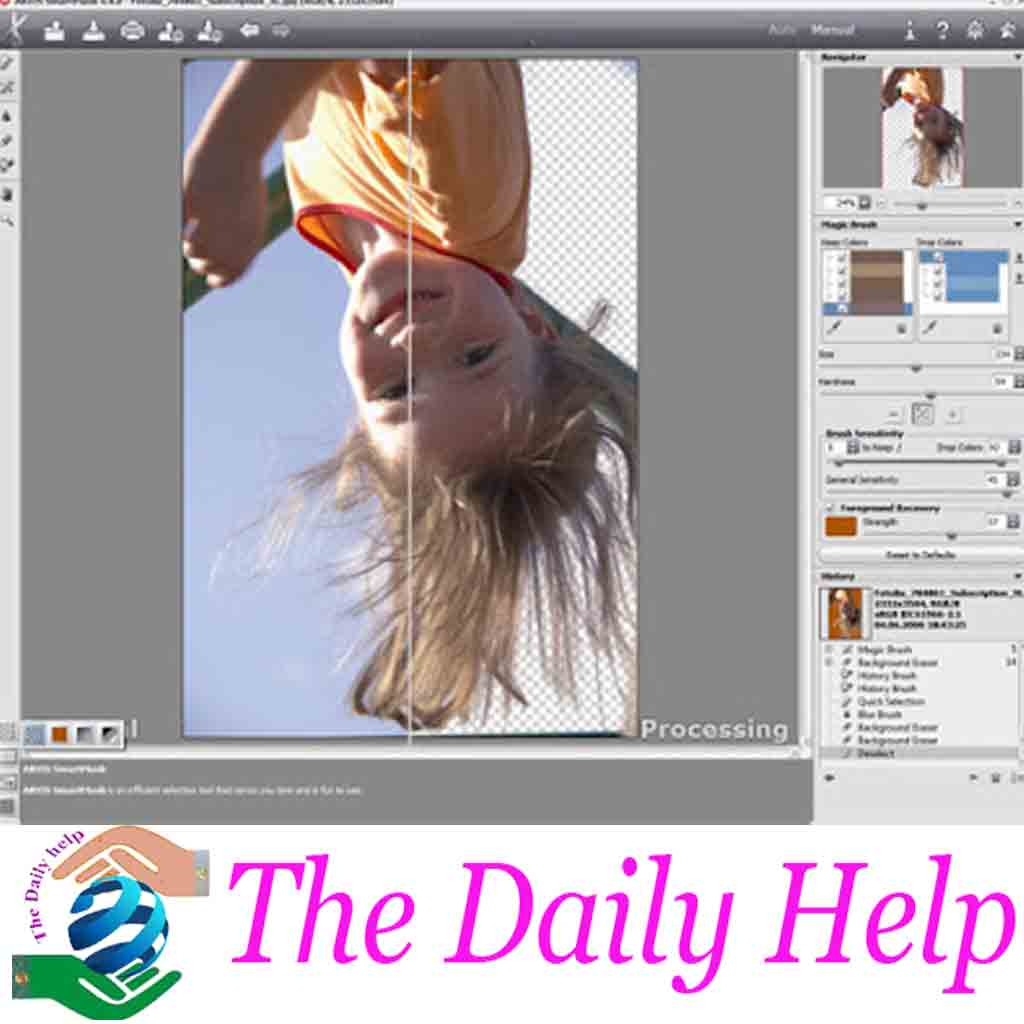
SmartMask v.4.0 makes a complicated image area selection incredibly simple. It includes powerful tools for masking objects on images and removing backgrounds as well as for selecting various types of objects, both with soft and sharp edges. With a few mouse clicks SmartMask v.4.0 helps select fluff, hair, fur, tree branches, glass, or a transparent veil as well as remove unwanted color shades left on the cutout object by the environment.
Free Download SmartMask For Best Photo Editing

Free Download SmartMask For Best Photo Editing

 SmartMask v.4.0 introduces two modes of image processing that intelligently assist with the selection a user wants to make. Auto mode offers a powerful algorithm for automatic recognition of areas while Manual mode includes a set of smart and helpful brushes to touch up the results where needed. For simple images, a user can take advantage of pencil tools in Auto mode to achieve professionally looking results in just a few clicks. With a blue pencil it is possible to draw a line inside the object a user wants to select (for example, a single face on a group photo), and then use the red pencil to create lines outside the object to define the areas that should be cut out (for instance, other people on the same photo). In cases where the selected object stands against a background of a similar color range, or the object’s edges are uneven, Manual mode offers powerful touch-up brushes like the Magic Brush and Background Eraser.
Free Download SmartMask For Best Photo Editing
SmartMask v.4.0 considerably increases productivity to leave more time for creativity and the realization of some brand new ideas as a designer. Moreover, SmartMask v.4.0 allows saving a working draft of the project into an AKVIS file that contains an original image, an image at the moment it was saved with all its parameters and settings as well as any manually created checkpoints that were added during the working process. This feature is by right considered to be very helpful by the majority of image processing professionals.

Download Link:
Photo Editor Tools SmartMask v.4.0 | 53 MB

Thursday, 5 October 2017

Online Indian Visa Application Processing Fee Payment For Bangladesh

Online Indian Visa Application Processing Fee Payment For Bangladesh

All had to use U-Cash to submit a visa application fee manually. But now, The High Commission of India in Bangladesh has been taking various initiatives to make the visaOctober, 2017. This means an applicant will be able to pay the visa application processing fee using online modes of payment. Applicants will need to fill in the application form and make payment online before visiting an IVAC for submission of application. Please note that the online payment facility is open only to Bangladesh Passport holders. The existing mode of payment of visa application processing fee through mobile wallets also will continue until further notice.

application process simpler and applicant friendly. Towards this objective, the Indian Visa Application Centres (IVACs), managed by the State Bank of India on behalf of the High Commission of India, is initiating a ‘Cashless’ visa application system from 4th

Here, we use screenshots and descriptions, which can help the Visa Applicant to pay the visa fee correctly.

At first, the Applicant (referred to as ‘User’ or ‘You’ hereinafter) has to go to the https://indianvisa-bangladesh.nic.in/visa/Registration to fill up the online application. 


Then go to https://payment.ivacbd.com page to initiate the Indian Visa Processing Fee Payment.

To learn How to fill up Indian visa application Form Click here.


Online Indian Visa Application Processing Fee Payment For Bangladesh

You will get a Form that includes 4 (four) tabs as follows, which you will need to fill in sequentially:

  1. Application Info
  2. Personal Info
  3. Overview
  4. Payment

1 Application Info

Follow the below step-by-step process to complete

Online Indian Visa Application Processing Fee Payment For Bangladesh
  1. SELECT A MISSION: From the drop-down list select the Mission under which you have applied for the Visa. This will change the options under SELECT YOUR IVAC CENTER below.
  2. WEB FILE NUMBER: In the next two boxes enter your WEB FILE NUMBER. Both entries must be same.
  3. SELECT YOUR IVAC CENTER: From the drop-down list select the IVAC center under which you have applied for Visa. As soon as you select the IVAC center name, the AMOUNT in BDT below will update (varies between BDT 600 and BDT 700).
  4. VISA TYPE: Select the Visa type that you have applied for from the drop-down list.
  5. PASSPORT NUMBER: Enter your passport number correctly.
  6. Save and Next: After done with filling up the above, click on the ‘Save and Next’ button to proceed to the next tab. Note that this button will be activated only after you have completed the above fields.

2 Personal Info

Follow the below step-by-step process to complete Tab-2: Personal Info:
Online Indian Visa Application Processing Fee Payment For Bangladesh

  1. (i) Enter your FULL NAME (as it appears in your passport), EMAIL ADDRESS* (provide a valid Email ID, where you will get all invoices and notifications) and CONTACT NUMBER (provide a valid mobile number where you will get SMS notifications).
    *Email address field is optional, but if Email address is not provided, you will not receive any payment invoice over email.
  2. Select and APPOINTMENT TYPE from the drop-down list. If you select WALK-IN, then you are done with this tab. However, if you select DATE, another box will appear where you will need to select an APPOINTMENT DATE from a pop-up calendar as mentioned in your Visa application.
  3. (i) After done with the above, click on the ‘Save and show overview’ button below, which is activated only after completing all the mandatory fields above. 

3 Overview

As you click on the ‘Save and show overview’ button in the previous tabs i.e. Tab-2 and Tab-3: ‘Overview’ opens as below. This tab provides you a summary of the information you have entered in the first two tabs. This is to review if you have provided all information in the earlier tabs correctly.

In the Overview tab, you cannot edit or do not need to enter anything. However, if you find any mistake and want to edit any field, click on ‘EDIT YOUR INFORMATION’ link below. You can edit the previous tabs and come back to Overview again. As well you can click any previous tab(s) and edit your information, if required.
After done reviewing, click on ‘Confirm and move for payment’ button below. You must click to tick the checkbox beside ‘I agree to the Terms of Service’ to proceed. Without selecting the checkbox you cannot proceed to Payment. You can view the ‘Terms of Service’ by clicking on the hyperlink.  


4 Payment

After you have completed the Application Info and Personal Info tabs, and finally clicked the ‘Confirm and move for payment’ button under the Overview tab, the following ‘Payment’ page will appear.
Online Indian Visa Application Processing Fee Payment For Bangladesh

Here you will see multiple payment options under SSLCOMMERZ Payment Gateway such as Debit/Credit CARDS, INTERNET BANKING, MOBILE FINANCIAL SERVICES (MFS) and OTHERS i.e. Proprietary Cards.
Select your desired payment method from the available options. As soon as you select the payment option, e.g. VISA or MasterCard, you will see the ‘Payable Amount’ at the right side of the page, which is the total amount after addition of Convenience Fees with Visa Application Processing Fees.
If you are ready to pay, complete the Captcha by entering the letters and/or numbers you see under ‘Verify you are human’ and then click on the ‘Pay Now’ button to proceed to make the payment.
You can still EDIT YOUR INFORMATION by clicking on the hyperlink or previous tab(s). Please note that once you click on ‘Pay Now’, the edit option will no longer be available.

Note: It is possible to make bulk/multiple payment for different Applicants (e.g. for your family members or tour partners) with different Web File Numbers and make total payment in a single transaction. Please refer to the next page (point 4.1) in this regard.


4.1 Bulk/Multiple Payment (Maximum 7) in One Go

To make bulk/multiple payment, after completing the first one, click on ‘ADD ANOTHER WEB FILE NUMBER’ button located in the ‘Payment’ tab. Then fill in the fields with another applicant’s information and check overview following the same procedure as done for the first one (Point 1.1 to 1.4).
SCREENSHOT is to be added after Site update
As you complete the fields for the second applicant and come to the ‘Payment’ tab, you will see the FEES, Convenience Fees and total Payable Amount have been automatically updated.
Follow the same procedure to add the next Web File Number. In this way you can add maximum 7 applicants’ information. The Visa Processing FEES and Convenience Fees for each applicant will be added automatically and the total Payable Amount will be updated accordingly. After filling up the information of the 7th applicant, the ‘ADD ANOTHER WEB FILE NUMBER’ button will be disabled.

4.2 Payment Completion After completing the process from 1.1 to 1.4 or 1.5, click on the ‘Pay Now’ button under the ‘Payment’ tab to proceed to pay the total ‘Payable Amount’. You will be redirected to the following Payment Page*. *The Payment Page screen will vary based upon your selected payment option (Card, Internet Banking or Mobile Banking.
Please note that once you click on ‘Pay Now’, you cannot make any further editing.


Online Indian Visa Application Processing Fee Payment For Bangladesh
Enter your card credentials here and click on the ‘Pay’ button below to make the payment. For other payment options like Internet Banking or Mobile Banking, other options will appear where you need to enter your credentials.
If you have entered the information correctly, clicked on the ‘Pay’ button, and if the mentioned amount is available in the card/account/wallet, the payment will be made. After successful payment, an onscreen ‘Congratulations’ message along with a Transaction ID will appear as below (next page):

Online Indian Visa Application Processing Fee Payment For Bangladesh

You can download the invoice of the payment in PDF file format by clicking ‘DOWNLOAD PDF OF INVOICE’ button. To take a printout of the invoice click on ‘PRINT INVOICE’ button.
If you have provided a valid email address, a copy of this invoice will also be sent to your email address. In case of multiple/bulk payment, there will be an item-wise invoice generated and sent to your email address. You shall also receive SMS notification(s) in your provided mobile number.  


4.3 Check Payment Status

If you have applied for an Indian Visa and/or you wish to check your payment status, click on CHECK PAYMENT STATUS button at the top-right corner of the page. 
Online Indian Visa Application Processing Fee Payment For Bangladesh

The below window (next page) will appear where you need to enter your WEB FILE NUMBER, PASSPORT NUMBER, the words in the captcha under ‘Verify you are human’ and then click on ‘Check Payment’. 
Online Indian Visa Application Processing Fee Payment For Bangladesh

After clicking on ‘Check Payment’, the below information will appear under ‘Your Payment Status’, which includes summary of your provided information along with your PAYMENT STATUS, ‘PAID’ or ‘UNPAID’.
Online Indian Visa Application Processing Fee Payment For Bangladesh


Note: You can check this Payment Status for 15 (fifteen) days since you have made the payment. After 15 days this information will not be available anymore. You can also download and/or print your payment invoice by clicking on the respective button below. 

Tuesday, 19 September 2017

What Is CMOS and What Is It For


What Is CMOS and What Is It For
CMOS (complementary metal-oxide-semiconductor) is the term usually used to describe the small amount of memory on a computer motherboard that stores the BIOS settings. Some of these BIOS settings include the system time and date as well as hardware settings.

Most talk of CMOS involves clearing CMOS, which means to reset the BIOS settings to their default levels. This is a really easy task that's a great troubleshooting step for many types of computer problems.

Note: A CMOS sensor is different - it's used by digital cameras to convert images into digital data.
 

Other Names For CMOS
CMOS is sometimes referred to as Real-Time Clock (RTC), CMOS RAM, Non-Volatile RAM (NVRAM), Non-Volatile BIOS memory, or complementary-symmetry metal-oxide-semiconductor (COS-MOS).


How BIOS and CMOS Work Together
The BIOS is a computer chip on the motherboard like CMOS except that it's purpose is to communicate between the processor and other hardware components like the hard drive, USB ports, sound card, video card, and more. A computer without a BIOS wouldn't understand how these pieces of the computer work together.

See my What Is the BIOS? piece for more information on the BIOS.

CMOS is also a computer chip on the motherboard, or more specifically a RAM chip, which means it would normally lose the settings it's storing when the computer is shut down.

However, the CMOS battery is used to provide constant power to the chip.

When the computer first boots up, BIOS pulls information from the CMOS chip to understand the hardware settings, time, and anything else that's stored in it.


What Is a CMOS Battery?
The CMOS is usually powered by a CR2032 cell battery, referred to as the CMOS battery.

Most CMOS batteries will last the lifetime of a motherboard, up to 10 years in most cases, but will sometimes need to be replaced.

Incorrect or slow system date and time and loss of BIOS settings are major signs of a dead or dying CMOS battery. Replacing them is as easy as swapping out the dead one for a new one.


More About CMOS & CMOS Batteries
While most motherboards have a spot for a CMOS battery, some smaller computers, like many tablets and laptops, have a small external compartment for the CMOS battery that connects to the motherboard via two small wires.

Some devices that use CMOS include microprocessors, microcontrollers, and static RAM (SRAM).

It's important to understand that CMOS and BIOS are not interchangeable terms for the same thing. While they work together for a specific function within the computer, they are two entirely different components.

When the computer is first starting up, there's an option to boot into BIOS or CMOS. Opening the CMOS setup is how you can change the settings it's storing, like the date and time and how the different computer components are first started up. You can also use CMOS setup to disable/enable some hardware devices.

CMOS chips are desirable for battery-powered devices like laptops because they use less power than other types of chips.

Although they use both negative polarity circuits and positive polarity circuits (NMOS and PMOS), only one circuit type is powered on at a time.

The Mac equivalent to CMOS is PRAM, which stands for Parameter RAM.

Monday, 18 September 2017

How to do clear a laptop BIOS or CMOS password

How to do clear a laptop BIOS or CMOS password?

A laptop BIOS password is more secure than a traditional desktop to help protect the data if it was stolen. If you are the original owner of the laptop, we highly recommend contacting the manufacturer of the laptop. Companies such as Dell, Lenovo, and Toshiba can reset the password if you are the original owner using the Service Tag, disk, or give you exact steps for your laptop.

If you are not the original owner of the laptop, there are some ways to bypass the password depending on the manufacturer and model of the laptop.


5 to 8 character code on System Disabled screen

Laptop password system disabled codeYou can attempt to get a 5 to 8 character code from the computer, which may be usable to clear the BIOS password.
  1. As the computer is booting, press F1, F2, or Del to enter CMOS setup.
  2. In the CMOS setup, when prompted for a password, guess three times until you're given the code. If, after entering the wrong password three times, the computer is displaying a 5 to 8 character code, as shown in the picture, continue to the next step.
  3. Write down the code and visit Dogbert's BIOS Password Backdoors scripts page to download Python and the free Python scripts to clear many of these types of passwords.
Note: If no code is displayed, try the next suggested solution.
 
Clear by dip switches, jumpers, jumping BIOS, or replacing BIOS
If the above suggestions do not apply to your laptop, you need to open the laptop and clear the password using dip switches or jumpers. You may also be able to jump the BIOS using a paperclip, by soldering a wire to pins on the BIOS, or replacing the BIOS chip.

The location of dip switches or jumpers on the motherboard depends on the brand and model of your laptop. Check the technical documentation for your laptop and contact the manufacturer to determine which motherboard is in your laptop. Search the Internet for that motherboard model for a technical diagram of where components are located, including the dip switches or jumpers for resetting the BIOS.

Which step you take depends on the manufacturer and model of your laptop computer. For most end users, we highly recommend having the laptop serviced by a qualified technician who can properly disassemble a laptop.

Contact laptop manufacturer

If the above steps do not help remove the CMOS password for your laptop, we suggest contacting the laptop manufacturer for steps on how to clear the password. Many manufacturers have strict policies in place to help protect their customers' laptops and only they have the information on how to clear CMOS passwords.

Additional information

See the CMOS definition for related links and information.

Tuesday, 2 May 2017

How To Create A Free Website With Blogger


How To Create A Free Website With Blogger
Did you know you can use Google’s Blogger to host a regular looking website? It’s not just for blogging anymore. Blogger gives you the ability to create great looking websites in less than a day.


I did it with a couple of sites and I’ll explain how it’s done with Blogger’s easy-to-use templates and a few changes to eliminate blogging necessities. You’ll feel comfortable creating your own website without needing to know HTML programming.


I’ll also show you how you can monetize Blogger with AdSense and other affiliate links, such as Amazon.

Now I'm going to describe step by step to create a dynamic website and 100% free on Blog Spot.  

Step 1: You have to need a google account. Now open your browser and type on the address bar "www.blogger.com" then you will see the page like bellow.
How To Make A Web Site With Blogger
Step 2: Now you have press or click Sign in or create your blog. Same action are both button. So now click any one will be seen the page bellow. 

How To Make A Web Site With Blogger
Step 3: Now can see a blank box. Write email (Gmail) ID and click next Button or hit enter.

How To Make A Web Site With Blogger
Step 4: At this moment write your mail password in to the password box and click sign in or hit enter button on your keyboard.

How To Make A Web Site With Blogger
Step 5: Now you have choose one option between tow. First of them is blogger profile picture with google plus profile. And the 2nd is only blogger profile picture. Choose any one click and select your profile picture from your computer.

How To Make A Web Site With Blogger
Step 6: Write a display name and Click on Continue to Blogger.

How To Make A Web Site With Blogger
Step 7: There are Some free website themes for blogger. Now you can choose, you can do this later also. So now click On " Maybe later"
 How To Make A Web Site With Blogger
Step 7: Just click on " Create New Blog"

How To Make A Web Site With Blogger
Step 8: There are two blank box one is title box and other is your domain or web address box. At first write your blog title and then choose your domain until can see available. I have written a domain but not available for reason try another another   and another. 

How To Make A Web Site With Blogger
Step 9: No I have written "jessorecctv" it is available. So my web address is : "www.jessorecctv.blogspot.com". When you will see your domain is available then click "Create Now".

How To Make A Web Site With Blogger
Step Final: Finally Your website dash board is ready to publish any post or article. We can see the created website without any post. If want to see that click on view blog.
How To Make A Web Site With Blogger
Now, you can see the web page just created with Blogger.
Hope, You may now able to create a super dynamic website with blogger totally free! In our next post, we will discuss "Blogger Dashboard Menu description and How to create a post. We’ll also show you how you can monetize Blogger with AdSense and other affiliate links, such as Amazon.

Monday, 24 April 2017

How To Create Effective Posts For A Fan Page On Facebook

How To Create Effective Posts For A Fan Page On Facebook
Many of us maintain a fan page on Facebook to communicate with their fan and customers. To promote your business and products Posting on your business Page is a great way to let your customers and fans know what your business is doing. Here are some tips to help you get the most out of your updates:

Share meaningful updates

Share meaningful updates
Whether it's content related to your industry or updates on what your business is doing, stay in touch with your audience with Facebook posts. Use short, fun-to-read copy and eye-catching images to get attention. You can even schedule your posts to save time.

Get more attention for a special post

Get more attention for a special post
When your post is published, you can bring more attention to it by pinning it to your Page or embedding it in your website. When you pin a post, it will remain at the top of your Page so it’s the first thing people will see. Embedding a post means it will appear on your website.

Entice customers with news or special discounts

Entice customers with news or special discounts
Use posts to make special offers to your customers, invite them to events or share the moment with a live video. You can learn more about live video from our article-How to Get Live On Facebook, Twitter And YouTube

Create posts on the go

Facebook Pages Manager app
Download the Facebook Pages Manager app to your mobile device to create posts for your business from anywhere. It's a great way to share up-to-the-minute updates and photos with your audience.

Get your post to a larger audience

Boost Post
When you boost a post, you select the audience that you want to see it. Choose people who like your Page, extend it to their friends or even select a new audience that you tailor by age, location, interests and more.

Set your budget

Set your budget
You have to control of how much you spend on a boosted post. Facebook only charge that the budget you select. The budget that you select is the per-day price of boosting a post. Depending on the audience and budget that you choose, you may or may not reach the maximum amount of your budget each day.

Hope, this article will help to make you decide what to do with your Fan Page.

Tuesday, 11 April 2017

Easy Video Maker 6 Platinum With Crack


Easy Video Maker 6 Platinum With Crack
If you're looking for a powerful and easy to use video editor program that's sure to meet just about every one of your video creation needs, don't hesitate to download Free Easy Video Maker, with it you could easy to Edit, Create, Make high-quality 2D/3D videos/movies from various formats of video clips, images, audios, lyrics, texts, etc. and feel the convenience that Easy Video Maker bring to you.

Main Features

  • Create/Make high-quality 2D or 3D video/movie from various formats of video clips, pictures, audios, music, lyrics, texts, subtitles, etc.
  • Quickly batch Make lots of Videos, videos/movies can be mass produced.
  • Powerful Video Editor, easy to cut, trim, split, join, mix, merge, crop, resize, rotate, zoom in/out, fade in/out, video chroma key, change video color, change video shape, speed up/down, stretch video, keep ratio of video, fill blur for keep ratio, etc.
  • Powerful Audio Editor, easy to edit any formats audios, such as cut, split, join, mix, merge, adjust volume, fade in/out, audio chorus, speed up/down, etc.
  • Edit all popular formats video files, such as AVI, MP4, MPEG-1/MPEG-2(.mpg, .mpeg), WMV, FLV, MKV, DivX, XviD, AVCHD Video (*.mts, *.m2ts), DV, HDV, H.264, AVC, MPEG-4, MOV, QuickTime, RM, RMVB, M4V, VOB, ASF, 3GP, 3G2, SWF, DV, MJPG, MJPEG, DVR-MS, NUT, QT, YUV, DAT, MPV, NSV, MPEG-4 TS HD Video(*.ts), MPEG-2 TS HD Video(*.ts), QuickTime HD Video(*.mov), WMV HD Video (*.xwmv), etc.
  • Edit all popular formats audio file, such as MP3, AAC, AC3, WMA, WAV, OGG, FLAC, MP2, CDA, M4A, RA, RAM, AU, MPA, etc.
  • Edit all popular formats picture file, such as JPEG, JPG, BMP, GIF, PNG, ICO, etc.
  • Easy to convert any format video files between different formats.
  • Powerful Lyrics Video Maker, easy to make a high quality 2D/3D lyrics video with the different fonts, size, colours, styles, layout, position, special effects, mask effects, motion effects, backgrounds, music, etc.
  • Powerful Karaoke Video Maker, easy to make high-quality 2D/3D Karaoke video with the different fonts, size, colours, styles, layout, position, motion effects, backgrounds, music, etc.
  • Powerful Movie Credits Maker, easy to make the high-quality movie credits, or scrolling texts video.
  • Powerful "Audio Shake Effect" module, easy to make the Audio Shake, make video shakes to the beat, even make anything react to audio, such as video, image, text, lyrics, movie credits, audio wave, particle effect, etc.
  • Record/Capture high-quality videos from the screen, cameras, capture cards, etc.
  • Easy to add special effects when Record/Capture videos, for example- change lightness, saturation, contrast, darkness, greyscale, invert colour, etc.
  • Record/Capture high-quality audios from any audio device, audio input pin, etc. such as online streaming audio, radio, audio players, game playing audio, Line In, Microphone, Stereo Mix, Mono Mix, Aux, Video, CD Audio, Phone Line, etc.
  • Easy to add special effects when capture/record audios, for example: change audio volume, audio pitch(from male to female, from female to male, etc.), audio equaliser, dynamic amplify, echo, 3D sound, Ture Bass, etc.
  • Mix multiple videos/pictures on the same screen(PIP effect, videos in the video, pictures in the picture), easy to set size, layout, position, styles, border, motion effect, mask effect, special effects for each video.
  • Overlay Videos/Pictures supports multiple overlay layers.
  • Mix multiple audios/music, such as, mix different musical instrument sounds, or add music and dubbing voice in the movie, etc.
  • Video Chroma Key, easy to remove a background colour from a video or photo, for example, remove the green colour from the recorded green screen video.
  • Change Video colour, easy to adjust Video Hue, Video Saturation, Video Brightness, Video Contrast, etc.
  • Change Video shape, easy to change the shape of the video, such as round, square, triangle, and so on, or a variety of custom static or dynamic shape.
  • Easy to add Particles Effects onto video clips, images, texts, lyrics, credits, etc. Provided 100+ cool Particles Effects, and even we can easy to customise the Particles Effect.
  • Easy to add Special Effects onto video clips, images, texts, etc. Provided 100+ cool Special Effects, such as rain, ageing, dizzy, glass, fire, wave, streak, particles, motion mosaic, bump map, edge enhance, etc.
  • Easy to add cool Motion Effects onto video clips, images, texts, etc.
  • Easy to add cool Mask Effect(light and shadow effects) onto video clips, images, texts, lyrics, etc.
  • Easy to add cool Transition Effects between video clips or images, provides hundreds of cool 2D and 3D Transition Effects.
  • Easy to speed up/down the video and audio playback speed.
  • Easy to use Timeline mode, easy to arrange/edit video clips, pictures, icons, audios, music, texts, lyrics, subtitles, effects at just the right moment. Just drag and drop video/movie making/editing, for a newbie, still easy to use.
  • Supports Auto shutdown computer once the process finished.
  • Supports CPU multi-core technology to optimize performance.
  • Supports all CPU instruction set, MMX, SSE, SSE2, SSE3, SSE4, EM64T, AMD64, etc.
  • Supports all 32bit and 64bit windows, Windows XP, Windows Vista, Win7, Win8, etc.

Download:

Easy Video Maker 6 Platinum With Crack [45 MB][Mediafire]

How to install/Activate:

Disconnect from internet (most important). Unpack and install the program (run setup). Don't run yet, exit the program if running. Run as admin the Patch (found on Crack) & apply. Run the program and register with any key. Always block the program in your firewall!

Saturday, 18 March 2017

A PDF Merger 470 Download With Serial Key

A-PDF Merger 4.7.0 Download With Serial Key
A-PDF Merger is a very simple and fastest desktop utility program that lets you joined two or more image/picture files and Acrobat PDF files into a single PDF document. Office files can be merged if A-PDF Office to PDF is installed on your machine. A-PDF Merger provides some special merge methods that allow you to combine documents and document parts in a number of different ways to make your work more successful.

Main Features:

Combine Small PDF Files
For archiving, batch printing or merging reports/ebooks/data sheets, you need an easy tool to combine small pdf files into one. A-PDF Merger will even work with password-protected PDF files.
Convert Scanned Images to PDF File
A-PDF Merger supports popular image formats: TIFF (.tif), Multi-page TIFF, Windows bitmap (.bmp), GIF (.gif), JPEG (.jpg), Portable Network Graphics(.png), JPEG2000(.JP2, .J2K), Photo Shop Document(.psd), PCX, DCX, DIB, RLE, TGA, PBM, PGM, PPM, ICO, PCD, WMF, EMF, CUR.
Convert Office to PDF File
A-PDF Merger supports Microsoft Office Document formats: Word files(.doc), Word 2007 (.DOCX), Excel files(.xls), Excel 2007(.xlsx), Powerpoint files(.ppt), powerpoint 2007 (.pptx).
You must install the A-PDF Office to PDF to support the office file converting.
Append Pages to Existing Documents
Appending or inserting pages(PDF file or image file) to an existing PDF file with A-PDF Merger is easy.
Special Merge Methods
Use special merge methods to rearrange the pages of PDF files. You can mix, reverse and repeat pages of source documents.
There are 5 merge methods: Whole, Part, Mix, Mix reverse, Repeat.
Easy to Use
With the intuitive interface, the merging is as easy as 1-2-3:
Add files by clicking the "Add" button
Adjust the file order
    Click "Merge" button.

Save Time
A-PDF Merger's convenient features include 'drag and drop' for adding individual files to your documents, or even adding all files from a directory/folder with one click, as well as allowing you to create an 'import' list for frequently used sets of documents.

A-PDF Merger has great performance with optimized merging speed.

Work with Bookmarks
A-PDF Merger is able to join the bookmarks in source files and save to the output PDF file.
Create Output File with User-defined Settings

A-PDF Merger's features include the ability to change the Properties of the output PDF document, change its security settings, bookmarks, and how a merged pdf file is displayed(view layout). You can even add your own style and format of page numbering to the output PDF.

Save Money
Actually, A-PDF Merger is a standalone program costing only $35. But we make it free for you! Just Download the RAR, extract it to your machine and install the software. Use the serial key after installation. You must disconnect your internet before use the serial key.

Download Link:
A-PDF Merger With Serial Key (2.30 MB)

If you have any question or facing any problem, please comment below or send us a message to inform.


Contact Us

Name

Email *

Message *

Pageviews from the past week

They Love Us!

Protected by Copyscape

Like Us On Facebook